
The Complete WordPress Guide for Nigerian Business Owners in 2026
WordPress powers over 43% of the internet. Here's everything you need to know to set it up, run it, and get real business results from it — explained in plain English.

Why WordPress Is Still the Best Choice for Nigerian Businesses
With so many website builders available — Wix, Squarespace, Webflow, Shopify — the question comes up constantly: why WordPress? The answer comes down to three things: flexibility, ownership, and cost.
WordPress is open source, which means nobody can shut down your website, raise your prices arbitrarily, or lock you out of your own content. You own it completely. And because it powers 43% of all websites on the internet, there are more developers, plugins, and tutorials available for WordPress than any other platform on earth.
WordPress doesn't just build websites — it builds business assets you fully own and can grow without permission from anyone.
How to Set Up WordPress Step by Step
If you're starting from scratch, here's exactly how to get WordPress up and running. This assumes you already have a domain name registered — if not, use Namecheap or GoDaddy to register one first.
Our hosting recommendation: We use and recommend Hostinger for all our client websites. Fast servers, free domain + SSL, one-click WordPress install, and affordable pricing that works for Nigerian businesses. Click here to get started with our referral discount →
The Essential Plugins Every WordPress Site Needs
Plugins extend what WordPress can do. But more isn't better — every plugin you install adds weight and potential security risk. Here are the only ones you actually need to start:
Performance
WP Rocket — the best caching plugin available. It makes your site significantly faster with minimal configuration. It's paid but worth every naira. Free alternative: LiteSpeed Cache.
SEO
Rank Math — helps you optimise every page and post for search engines. It tells you what to fix, gives you a score for each piece of content, and integrates with Google Search Console directly.
Security
Wordfence — scans your site for malware, blocks suspicious login attempts, and sends you alerts if anything unusual happens. The free version is more than enough for most businesses.
Forms
WPForms — the easiest way to create contact forms, quote request forms, and lead capture forms. Drag and drop, no coding, and connects to email marketing tools and CRMs.
Backups
UpdraftPlus — automatically backs up your entire website to Google Drive, Dropbox, or Amazon S3. Never run a WordPress site without automated backups. Websites get hacked. Hosting companies lose data. Backups are your insurance policy.
How to Write and Publish Your First Blog Post
Publishing content is one of the most powerful things you can do for SEO and authority-building. Here's how to do it properly in WordPress:
- Go to Posts → Add New in your WordPress dashboard
- Write your title — make it specific and benefit-driven, not generic
- Write your content in the block editor — use H2 and H3 headings to structure it
- Add a Featured Image in the right panel — posts without images get far less engagement
- Set a Category and add relevant Tags
- In Rank Math, fill in your focus keyword, SEO title, and meta description
- Click Publish — then share it on WhatsApp, LinkedIn, and Instagram immediately
Keeping Your WordPress Site Secure and Updated
WordPress security is not complicated, but it requires consistency. Follow these habits and you'll avoid 95% of the problems that take down Nigerian business websites.
- Update WordPress, themes, and plugins every week — outdated software is the most common entry point for hackers
- Use a strong admin password — not your business name, not your phone number, not "password123"
- Change your admin username from "admin" to something unique — hackers target the default username automatically
- Run automated backups to an external location every day
- Install Wordfence and review its weekly security report
- Delete unused plugins and themes — they're still a vulnerability even if inactive
Conclusion: WordPress Is a System, Not Just a Website
The businesses that get the most out of WordPress are the ones that treat it as a living system — not a one-time project. They publish content regularly, update their plugins, monitor their analytics, and continually improve their pages based on what the data tells them.
Start with the basics covered in this guide. Get your site set up properly, install the right plugins, publish your first articles, and keep it secure. From that foundation, every improvement compounds — more traffic, more trust, more leads, more revenue.
That's the WordPress advantage. Not just a website — a business asset that grows with you.

Need help setting up or improving your WordPress site?
Book a free strategy call and let's look at exactly what your site needs.

25 Free Tools Every Nigerian Small Business Should Be Using Right Now
You don’t need a big budget to run a professional digital operation. These free tools do the work of entire departments — and most Nigerian business owners have never heard of half of them.

How to Choose the Right Tech Stack for Your Nigerian Business Website
The tools you build on determine how far you can grow. Pick wrong and you’ll be rebuilding everything in 18 months. Here’s how to choose a tech stack that scales with your business — without overcomplicating things.
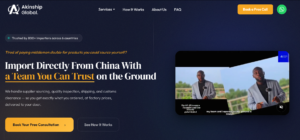
From Zero Online Presence to a Full Conversion System: The Akinship Global Story
How OneplugTech built a complete website and WhatsApp automation system for a China-to-Africa sourcing company — in 3 weeks, with measurable results from day one.

Landing Page Tips That Actually Convert Nigerian Visitors Into Paying Customers
Landing page isn’t just a pretty page — it’s a conversion machine. Here’s how to build one that works for the Nigerian market, where trust is hard-won and decisions are made on WhatsApp.
How to Rank on Google in Nigeria: A Practical SEO Guide for Business Owners
Getting to page one of Google in Nigeria is more achievable than most business owners think. Here’s the honest, practical guide — no jargon, no shortcuts, just what actually works.

Stop Chasing Leads Manually: The Best Tools to Automate Your Follow-Up in 2026
Lost Nigerian businesses lose sales not because they have bad products — but because they follow up too late, too inconsistently, or not at all. Here’s how to fix that with the right automation tools.
